Design · Build
UI/UX Design & Implementation
Figma to production, accessible components, real states, brand-aligned blue system.
- Figma to production with spacing, states, and accessible contrast.
- Empty screens and error copy that survive investor demos.
- Design systems aligned to your brand, not generic Bootstrap.
- Keyboard flows and WCAG-minded forms.
- Engineers who ask hard questions before pixel-pushing.

What we deliver for ui/ux design & implementation
Core deliverables
- Component libraries
- Responsive layouts
- Accessibility-minded UI
- Design system tokens
- Storybook review
Why teams choose this engagement
- Responsive UI from design system or Figma
- Accessibility and keyboard navigation
- Performance budget and Core Web Vitals checks
- Component library aligned with backend releases
Problems we solve in ui/ux design & implementation
-
Designs engineers cannot build faithfully
Missing spacing specs and component states force guesswork. We deliver build-ready Figma with tokens and edge cases.
-
Brand guidelines ignored in production
Marketing and product UI drift when tokens are not shared. We align design system with implementation in one loop.
-
Accessibility treated as polish
Contrast, focus order, and form labels need design-time decisions, not post-launch audit surprises.
-
Design and dev speak different languages
Handoffs fail without shared Storybook or review cadence. We pair design decisions with engineers who ship the components.
How we build ui/ux design & implementation
Founder-led engineers in Surat (IST) with morning and end-of-day updates so distributed product owners stay in the loop.
We are engineers first, but we implement UI with the same care a design agency would expect: spacing, states, empty screens, and error messages that do not embarrass you in a demo.
Bring Figma or sketches; we ask hard questions about edge cases before pixel-pushing.
Teams with designs ready who need engineers who respect spacing and edge cases.
Components engineers adopt
UI/UX here means Figma through production: tokens, components, and real states, not mockups that ignore mobile breakpoints and admin workflows.
- Accessible color, type, and spacing tokens
- Component specs with error and loading variants
- Storybook review before wide implementation

Design and code in one team
We implement what we design on Django and React stacks so spacing and interaction match the spec. Weekly reviews keep marketing and product aligned before launch.
- Responsive layouts tested on real devices
- WCAG-minded patterns built into components
- Mutual NDA before brand and product assets

Where we apply ui/ux design & implementation
Vertical experience from shipped products, not generic claims.
Why teams choose us for ui/ux design & implementation
Six reasons founders and product leads pick us over a generalist shop - scoped to how we deliver this engagement.
-
Design to code strength
We implement; pure brand-only projects may need a partner.
-
Edge cases in scope
Loading, validation, and permissions reflected in UI.
-
Storybook or staging truth
Review on real components, not PDFs alone.
-
Collaboration with your designer
We extend your Figma when you already have one.
-
Backend-aligned sprints
Same rhythm as the API team - integrated demos, not isolated UI drops.
-
Honest estimates
We say when a Figma file underestimates responsive or state complexity.
Is this for you?
Good fit
- You need design translated to production components.
- You want a design system aligned with your brand blues, not generic Bootstrap.
- You value accessible contrast and keyboard flows.
- You need Figma translated to accessible production components.
- You want a design system aligned to your brand, not generic Bootstrap.
- Edge cases like errors and empty states must ship, not defer.
Probably not
- You need brand identity and logo from scratch only.
- You need logo and brand identity only, no implementation.
- You want design files with no engineering build scope.
- You refuse feedback on feasibility of complex interactions.
Delivery process for ui/ux design & implementation
How we move from Figma to accessible production components.
We walk Figma or wireframes for loading states, breakpoints, empty paths, and keyboard flows - not just the hero mockup. Browser targets and API integration points captured before component work starts.
Design tokens, shared patterns, and component specs tracked in the backlog alongside API contracts. Your backend squad sees the same sprint board and demo cadence.
UI built against staging APIs with PR previews when your stack supports them. Integrated demos show real data paths, not isolated Storybook states.
Core Web Vitals measured on staging, keyboard flows verified, and screen-reader checks on critical paths. Performance budgets discussed before launch traffic, not after complaints.
-
UX discovery
We walk Figma or wireframes for loading states, breakpoints, empty paths, and keyboard flows - not just the hero mockup. Browser targets and API integration points captured before component work starts.
-
System and components
Design tokens, shared patterns, and component specs tracked in the backlog alongside API contracts. Your backend squad sees the same sprint board and demo cadence.
-
Iterate with eng
UI built against staging APIs with PR previews when your stack supports them. Integrated demos show real data paths, not isolated Storybook states.
-
Handover
Core Web Vitals measured on staging, keyboard flows verified, and screen-reader checks on critical paths. Performance budgets discussed before launch traffic, not after complaints.
Stack for ui/ux design & implementation
Tools and runtimes we use on this type of engagement - chosen for production delivery, not slide-deck logos.
- Tailwind
- React
- Figma
- TypeScript




How we work on ui/ux design & implementation
-
Figma → code
Design tokens and component specs tracked in the backlog.
-
Device testing
Breakpoints and touch targets verified on real viewports.
-
Storybook / previews
UI PR previews when your stack supports them.
-
Integrated demos
UI shown against live API on staging.
Production discipline for ui/ux design & implementation
-
Performance budget
Core Web Vitals checked on staging builds before release. Asset budgets and lazy-load rules agreed when marketing pages are in scope.
-
Preview deploys
Branch previews for UI review when infra allows. Design and product sign off against live API responses, not static mocks.
-
A11y smoke tests
Keyboard and screen-reader checks on checkout, login, and settings flows. Focus order and error announcements verified before launch.
-
Instant rollback
Static asset and CDN revert paths documented alongside app deploy steps. Previous bundle available within minutes if a UI regression slips through.
Track record from ui/ux design & implementation
Metrics from shipped products and active engagements - not slide-deck claims.
- 40+
- UI builds delivered
- CWV
- Checked on staging pre-launch
- IST
- Morning & EOD sync
- a11y
- Keyboard flows in scope
Proof from ui/ux design & implementation
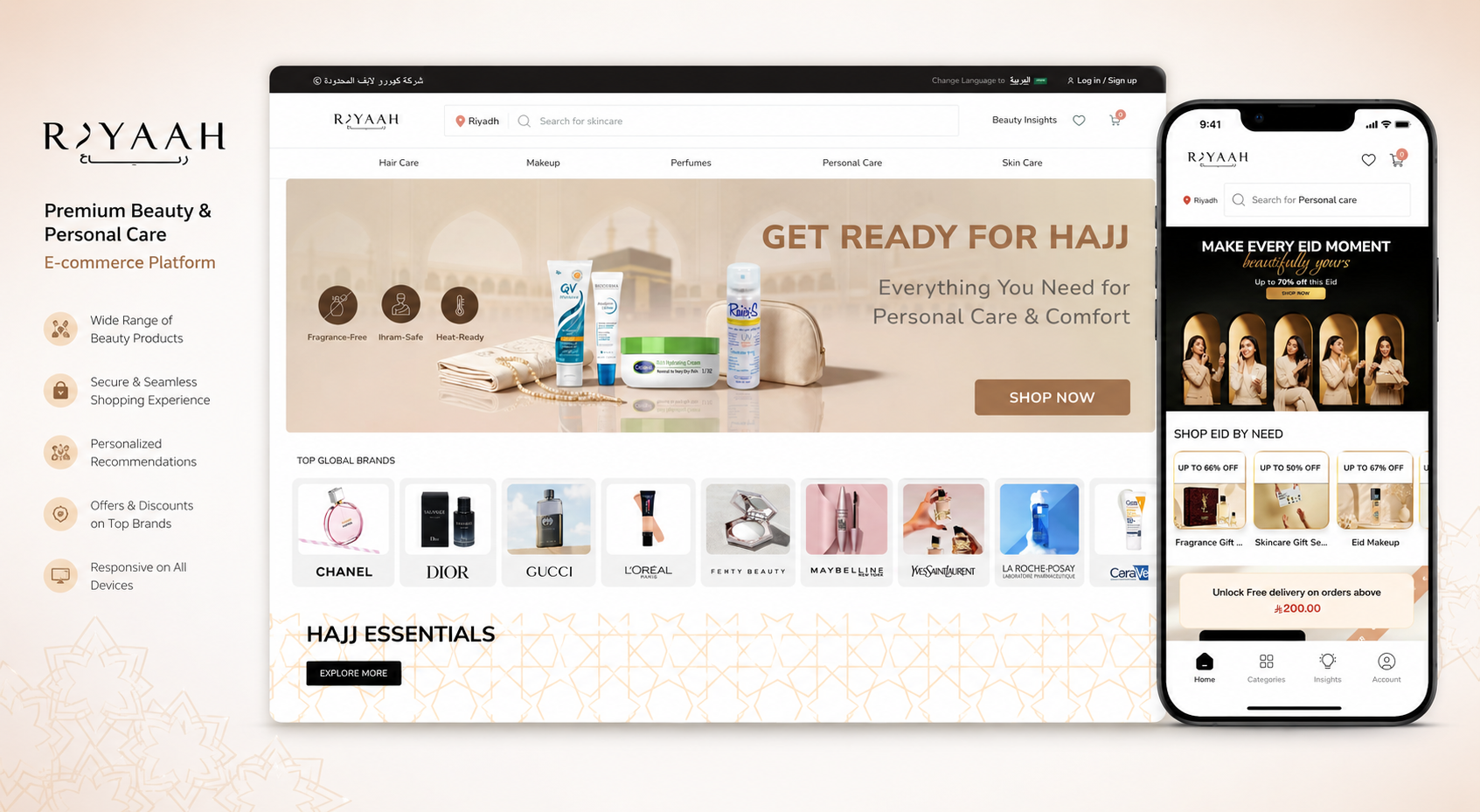
Real products we shipped for founders in the US, UK, and Europe.
Design-led teams ask whether we implement the full UX path - loading states, accessibility, and performance - not just the hero mockup.
-
Design never matches production
Featured work shows responsive UI with real data - not static Figma exports.
-
Performance hurt us after launch
We measure Core Web Vitals on staging; case studies include logged-in dashboards.
-
Accessibility is non-negotiable
Production UIs with keyboard flows and role-based views - not marketing-only pages.
Engagement models for ui/ux design & implementation
UI implementation from Figma with fixed milestones or squad time alongside your product owner.
-
Fixed-scope project
Discovery, written requirements, and milestone billing. Best for MVPs, redesigns, and integrations with a defined end state.
- Duration: Phased milestones
- Working: Sprint plan agreed upfront
- Billing: Per milestone or phase
- Timeline: Based on signed scope
-
Dedicated squad
A focused engineering squad on your product: weekly demos, shared backlog, and one accountable team when scope evolves.
- Duration: 8 hrs/day · 5 days/week
- Working: ~160 hrs/month capacity
- Billing: Monthly invoice
- Timeline: Sprint-based delivery
-
Part-time retainer
Smaller monthly hour buckets for fixes, dependency updates, and enhancements, with the same engineers when possible.
- Duration: 4 hrs/day · 5 days/week
- Working: ~80 hrs/month
- Billing: Monthly retainer
- Timeline: Ongoing support window
Questions about ui/ux design & implementation
What prospects ask on a first call about this service: scope, timelines, fit, and how we work.
- Scope & pricing
- Delivery process
- Handover & IP
- NDA & quality gates
5 questions
Do you deliver Figma only or design plus frontend implementation?
Both. We can hand off dev-ready specs or implement in React with the same team that designed the flows.
How many revision rounds are included in UI/UX scope?
Agreed in discovery, usually structured critiques per milestone rather than unlimited open-ended tweaks.
Can you redesign one product area without redoing the whole app?
Yes. We audit design debt, prioritize high-traffic flows, and ship component updates incrementally.
Do you include accessibility in UX deliverables?
Focus states, contrast, and screen-reader paths on critical journeys are part of done, not optional extras.
What files do we own after a UI/UX engagement?
Figma sources, component specs, asset exports, and implementation in your repo when dev is in scope.
Need product design support? Let's frame flows.
Walk us through user journeys, brand constraints, and engineering handoff expectations. We deliver Figma systems your developers can implement without guesswork.
- Flows and components ready for dev handoff.
- WCAG-minded patterns in the system.